RE Toolkit (1/5): MCP servers for reverse engineering — GhidraMCP, IDA MCP, Binary Ninja, radare2
TL;DR
GhidraMCP (free), Hex-Rays ida-mcp (IDA 9.4+), binary_ninja_mcp and radare2-mcp let agents decompile, list and rename functions. Work in a VM, keep servers on localhost, give the agent no shell on unknown samples, and verify every AI-assigned name.
Reading thousands of stripped functions, renaming variables and guessing data structures is the slowest part of reverse engineering. In 2025–2026 a new class of repos appeared to hand that work to AI agents: MCP servers that connect Ghidra, IDA Pro, Binary Ninja and radare2 to Claude Code, Cursor, Codex and others. The agent can list functions, read decompiled code, rename and comment directly inside your project. This first post of the RE Toolkit series picks the five repos worth using, shows how to install them, and covers the risks few people mention.
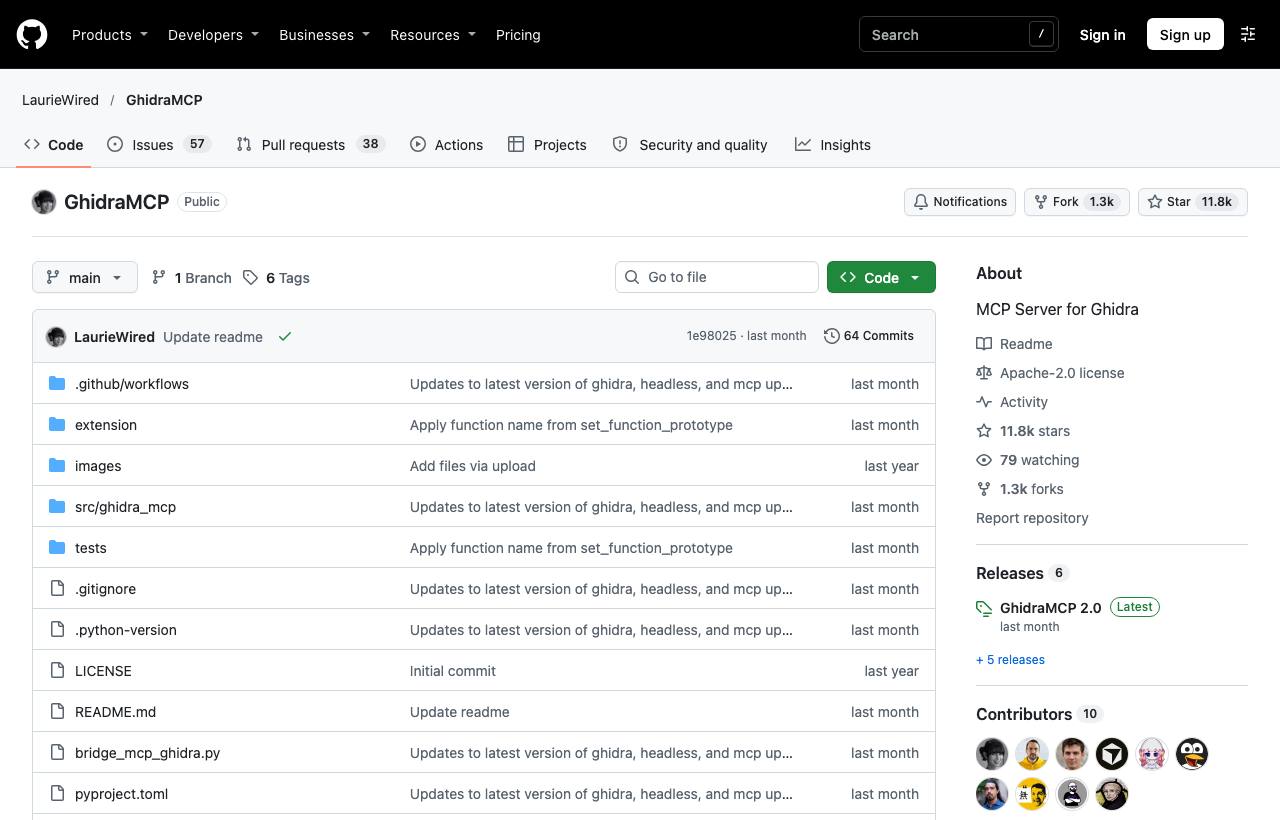
Five MCP servers for reverse engineering
| Repo | Backend | Strengths | Stars · License |
|---|---|---|---|
| LaurieWired/GhidraMCP | Ghidra (free) | Decompile, list functions/classes/imports/exports, rename functions and data automatically | ~11.8k · Apache-2.0 |
| HexRaysSA/ida-mcp | IDA Pro 9.4+ | Official Hex-Rays server, runs headless via idalib or opens the GUI | ~1.5k · MIT |
| mrexodia/ida-pro-mcp | IDA Pro 8.3+ (IDA Free not supported) | Most popular community server, plugins for Claude Code and Codex | ~13.4k · MIT |
| fosdickio/binary_ninja_mcp | Binary Ninja | Installs from Plugin Manager, auto-configures clients, multiple binaries at once | ~450 · GPL-3.0 |
| radareorg/radare2-mcp | radare2 (free) | Written in C, read-only mode, sandbox lock and tool restrictions | ~350 · MIT |
Note: the mrexodia/ida-pro-mcp README itself now recommends the official Hex-Rays server. On IDA 9.4 or later, pick HexRaysSA/ida-mcp and disable other IDA MCP servers so the agent does not confuse tools.
Installing GhidraMCP for Claude Code
- Install Ghidra and
uv. Download the plugin zip from the repo's Releases (matching your Ghidra version). - In Ghidra: File → Install Extensions → +, pick the zip, restart, then enable
GhidraMCPPluginunder File → Configure → Developer. The plugin serves HTTP on127.0.0.1:8080. - Register the MCP server with Claude Code:
claude mcp add ghidra -- uvx --from git+https://github.com/LaurieWired/GhidraMCP \
  ghidra-mcp --ghidra-server http://127.0.0.1:8080/
Clients configured by JSON (Claude Desktop, Cursor, VS Code) use the same uvx command inside an mcpServers block.
The alternatives
# IDA Pro (official Hex-Rays)
uvx ida-hcli mcp install

# Binary Ninja: install the plugin via Plugins > Manage Plugins, then configure the client
npx -y binary-ninja-mcp --host localhost --port 9009

# radare2
r2pm -Uci r2mcp
# client config: "command": "r2pm", "args": ["-r", "r2mcp"]
A sample session
Open the binary in Ghidra and let auto-analysis finish before handing it to the agent. Good prompts are narrow and verifiable:
List the functions that call recv/send. For each, decompile it, summarise
it in 1–2 sentences and propose a new name. ONLY rename when confident;
mark uncertain parts as "guess". Do not execute the binary.
This plays to the LLM's strengths (reading C pseudocode, inferring intent, naming) while you still review the results in a familiar UI.
Risks to know
- Prompt injection from the binary itself: strings inside a malware sample can contain instructions aimed at the AI ("ignore previous instructions…"). Do not give the agent shell or network access when analysing untrusted samples.
- Hallucination: agents produce very convincing but wrong names. Treat AI-assigned names as hypotheses; verify with xrefs, constants or real debugging (see the dynamic analysis post).
- Open ports: these plugins run HTTP servers. Keep them on
127.0.0.1; bind radare2-mcp to0.0.0.0only with bearer authentication enabled. - Data leaves your machine: decompiled code is sent to the LLM provider. For customer or NDA binaries, check the contract first, or use a local model (LM Studio is among the supported clients).
- Legal: only analyse software you own or are authorised to; see the REA reality check for realistic limits.
How to apply it
- Dev: Start with GhidraMCP (fully free). Try it on a crackme or a binary you compiled yourself and compare AI-assigned names with the real ones.
- Tech Lead: Standardise an analysis VM with Ghidra + MCP and no outbound network except the LLM API; the agent may read and rename, never execute.
- PM: MCP shrinks the "understanding" phase from days to hours for jobs like legacy systems with lost source, but an expert still has to review results before decisions are made.
Sources & references
- LaurieWired/GhidraMCP (GitHub) — LaurieWired
- HexRaysSA/ida-mcp (GitHub) — HexRaysSA
- mrexodia/ida-pro-mcp (GitHub) — mrexodia
- fosdickio/binary_ninja_mcp (GitHub) — fosdickio
- radareorg/radare2-mcp (GitHub) — radareorg